> ## Documentation Index
> Fetch the complete documentation index at: https://www.traceloop.com/docs/llms.txt
> Use this file to discover all available pages before exploring further.
# LLM Observability with Dynatrace and OpenLLMetry
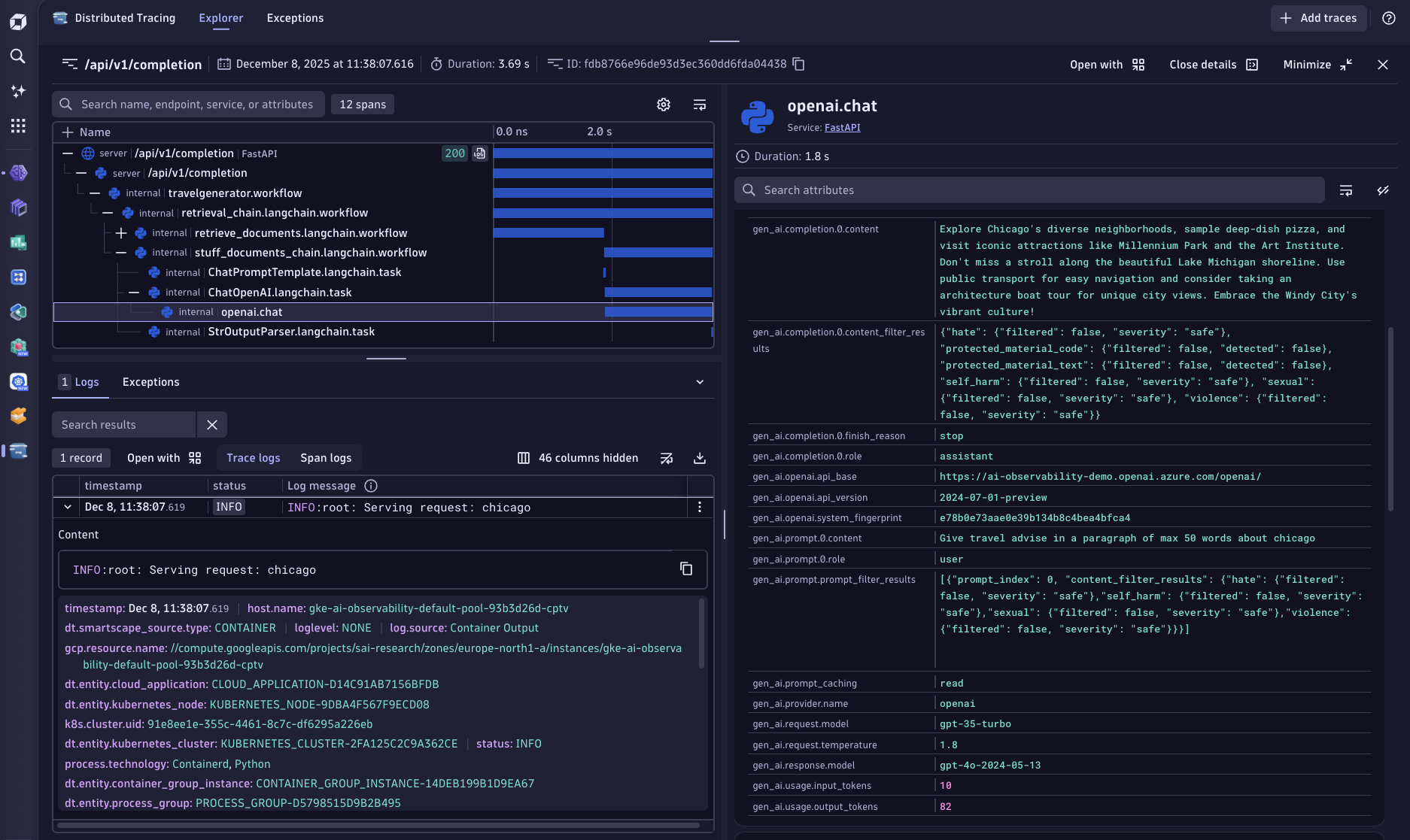 Analyze all collected LLM traces and logs within Dynatrace by using the native OpenTelemetry ingest endpoint of your Dynatrace environment.
Go to your Dynatrace environment and create a new access token under **Manage Access Tokens**.\
The access token needs the following permission scopes that allow the ingest of OpenTelemetry spans, metrics and logs
(openTelemetryTrace.ingest, metrics.ingest, logs.ingest).
Set `TRACELOOP_BASE_URL` environment variable to the URL of your Dynatrace OpenTelemetry ingest endpoint
```bash theme={null}
TRACELOOP_BASE_URL=https://.live.dynatrace.com\api\v2\otlp
```
Set the `TRACELOOP_HEADERS` environment variable to include your previously created access token
```bash theme={null}
TRACELOOP_HEADERS=Authorization=Api-Token%20
```
Done! All exported spans, along with their span attributes, will appear within the [Dynatrace trace view](https://wkf10640.apps.dynatrace.com/ui/apps/dynatrace.genai.observability).
Analyze all collected LLM traces and logs within Dynatrace by using the native OpenTelemetry ingest endpoint of your Dynatrace environment.
Go to your Dynatrace environment and create a new access token under **Manage Access Tokens**.\
The access token needs the following permission scopes that allow the ingest of OpenTelemetry spans, metrics and logs
(openTelemetryTrace.ingest, metrics.ingest, logs.ingest).
Set `TRACELOOP_BASE_URL` environment variable to the URL of your Dynatrace OpenTelemetry ingest endpoint
```bash theme={null}
TRACELOOP_BASE_URL=https://.live.dynatrace.com\api\v2\otlp
```
Set the `TRACELOOP_HEADERS` environment variable to include your previously created access token
```bash theme={null}
TRACELOOP_HEADERS=Authorization=Api-Token%20
```
Done! All exported spans, along with their span attributes, will appear within the [Dynatrace trace view](https://wkf10640.apps.dynatrace.com/ui/apps/dynatrace.genai.observability).