> ## Documentation Index
> Fetch the complete documentation index at: https://www.traceloop.com/docs/llms.txt
> Use this file to discover all available pages before exploring further.
# Made by Traceloop
> Pre-configured evaluators by Traceloop for common assessment tasks
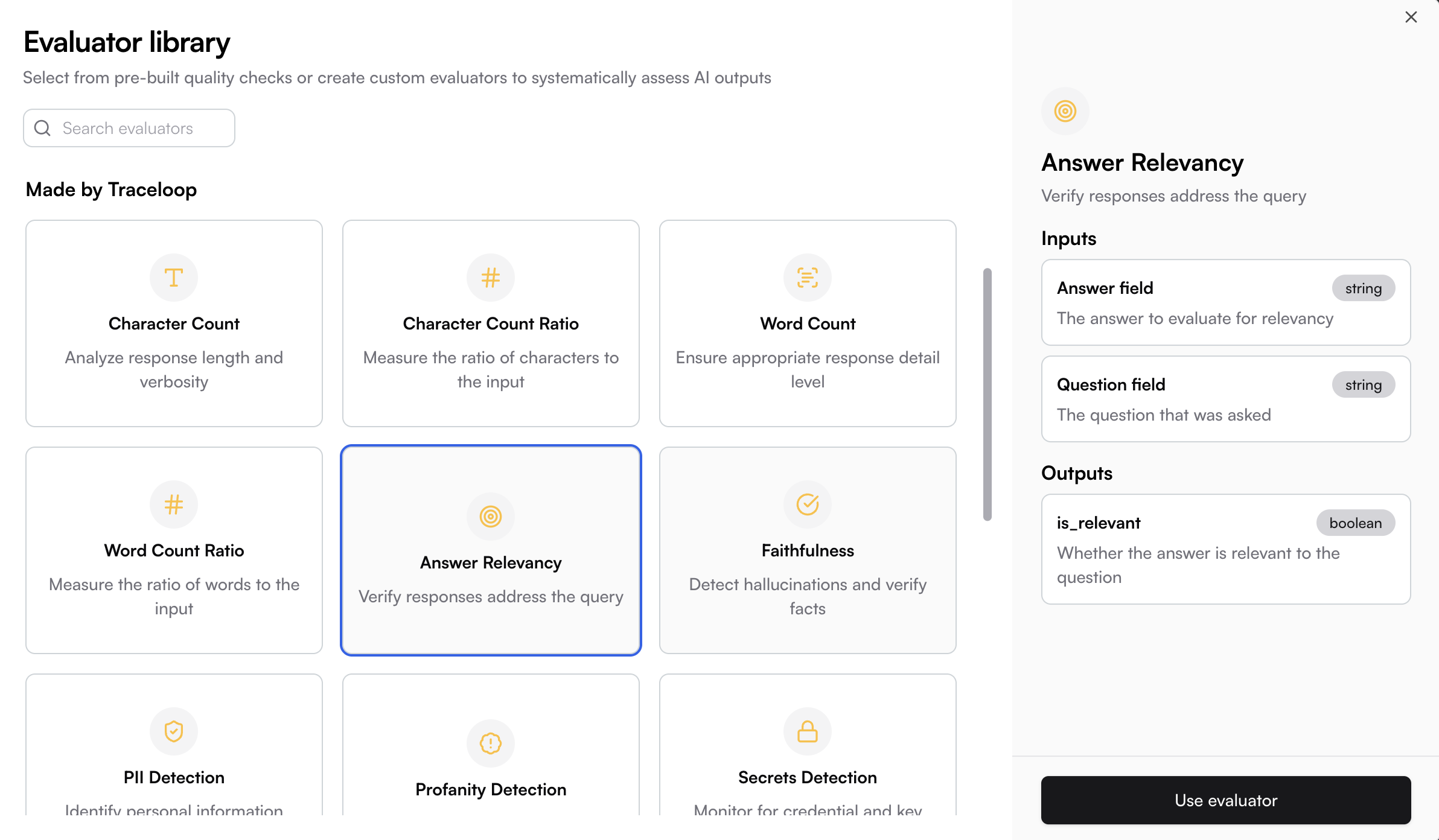
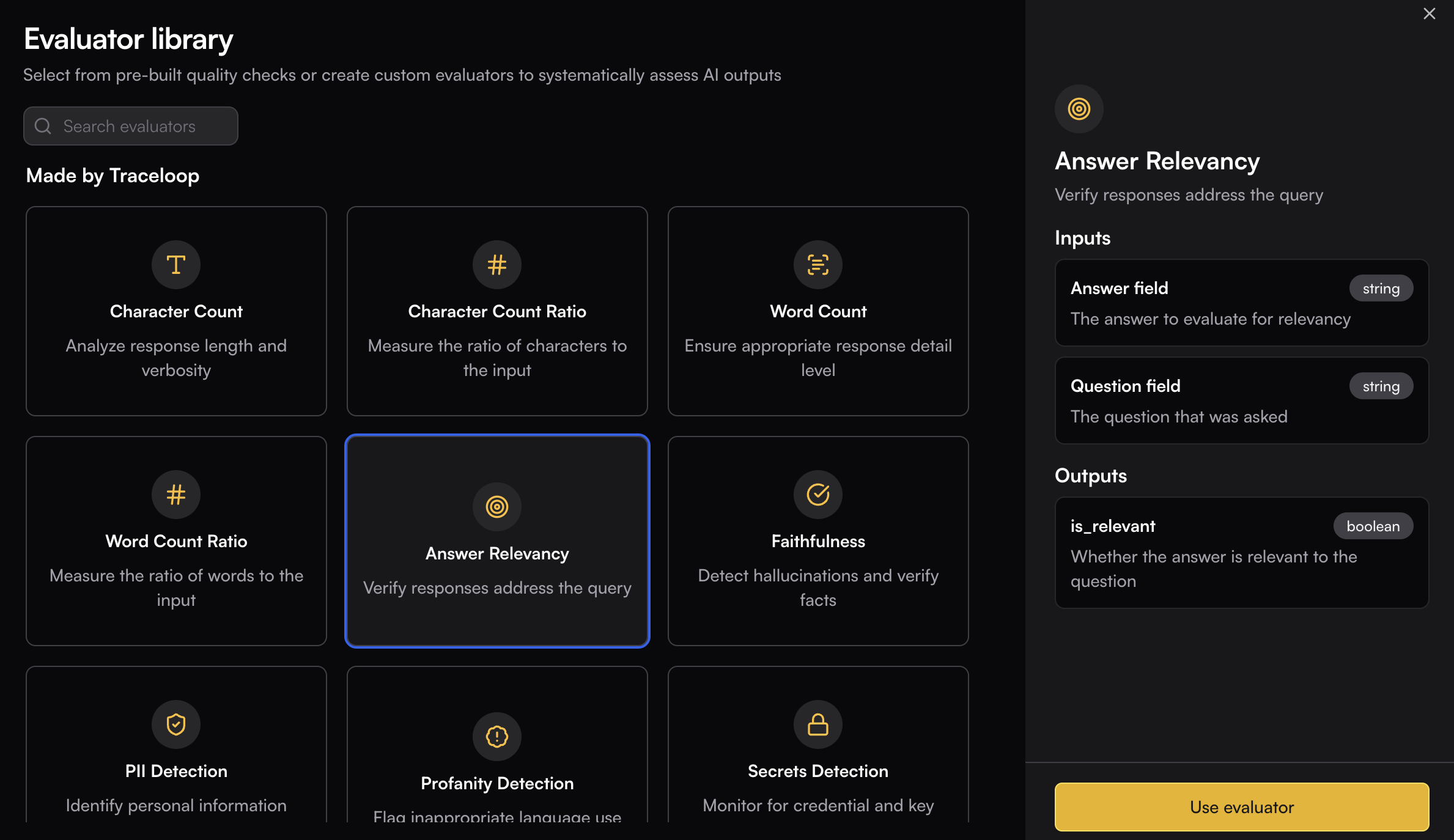
The Evaluator Library provides a comprehensive collection of pre-built quality checks designed to systematically assess AI outputs.
Each evaluator comes with a predefined input and output schema. When using an evaluator, you'll need to map your data to its input schema.
 ## Evaluator Types
### Style
Analyze response length and verbosity to ensure outputs meet specific length requirements.
Measure the ratio of characters to the input to assess response proportionality and expansion.
Ensure appropriate response detail level by tracking the total number of words in outputs.
Measure the ratio of words to the input to compare input/output verbosity and expansion patterns.
Detect and classify the tone of AI responses to ensure appropriate communication style.
### Quality & Correctness
Verify responses address the query to ensure AI outputs stay on topic and remain relevant.
Detect hallucinations and verify facts to maintain accuracy and truthfulness in AI responses.
Evaluate factual accuracy by comparing answers against ground truth.
Measure how completely responses use relevant context to ensure all relevant information is addressed.
Validate topic adherence to ensure responses stay focused on the specified subject matter.
Validate semantic similarity between expected and actual responses to measure content alignment.
Measure how well the LLM response follows given instructions to ensure compliance with specified requirements.
Measure text perplexity from logprobs to assess the predictability and coherence of generated text.
Generate responses and measure model uncertainty from logprobs to identify when the model is less confident in its outputs.
Validate context relevance to ensure retrieved context is pertinent to the query.
Measure prompt perplexity from logprobs to assess the complexity and clarity of input prompts.
### Security & Compliance
Identify personal information exposure to protect user privacy and ensure data security compliance.
Flag inappropriate language use to maintain content quality standards and professional communication.
Detect sexist and discriminatory content.
Detect prompt injection attacks in user inputs.
Detect toxic content including personal attacks, mockery, hate, and threats.
Monitor for credential and key leaks to prevent accidental exposure of sensitive information.
### Formatting
Validate SQL queries to ensure proper syntax and structure in database-related AI outputs.
Validate JSON responses to ensure proper formatting and structure in API-related outputs.
Validate regex patterns to ensure correct regular expression syntax and functionality.
Validate placeholder regex patterns to ensure proper template and variable replacement structures.
Compare HTML outputs to validate structure and content accuracy in generated HTML.
### Agents
Validate agent goal accuracy to ensure AI systems achieve their intended objectives effectively.
Detect errors or failures during tool execution to monitor agent tool performance.
Validate agent trajectories against user-defined natural language tests to assess agent decision-making paths.
Evaluate agent efficiency by checking for redundant calls and optimal paths to optimize agent performance.
Measure whether the agent successfully accomplished all user goals to verify comprehensive goal achievement.
Evaluate the sequence of tool calls made by an agent to assess decision-making quality.
Detect whether the user's primary intent or workflow changed significantly during a conversation.
Evaluate conversation quality based on tone, clarity, flow, responsiveness, and transparency.
## Evaluator Types
### Style
Analyze response length and verbosity to ensure outputs meet specific length requirements.
Measure the ratio of characters to the input to assess response proportionality and expansion.
Ensure appropriate response detail level by tracking the total number of words in outputs.
Measure the ratio of words to the input to compare input/output verbosity and expansion patterns.
Detect and classify the tone of AI responses to ensure appropriate communication style.
### Quality & Correctness
Verify responses address the query to ensure AI outputs stay on topic and remain relevant.
Detect hallucinations and verify facts to maintain accuracy and truthfulness in AI responses.
Evaluate factual accuracy by comparing answers against ground truth.
Measure how completely responses use relevant context to ensure all relevant information is addressed.
Validate topic adherence to ensure responses stay focused on the specified subject matter.
Validate semantic similarity between expected and actual responses to measure content alignment.
Measure how well the LLM response follows given instructions to ensure compliance with specified requirements.
Measure text perplexity from logprobs to assess the predictability and coherence of generated text.
Generate responses and measure model uncertainty from logprobs to identify when the model is less confident in its outputs.
Validate context relevance to ensure retrieved context is pertinent to the query.
Measure prompt perplexity from logprobs to assess the complexity and clarity of input prompts.
### Security & Compliance
Identify personal information exposure to protect user privacy and ensure data security compliance.
Flag inappropriate language use to maintain content quality standards and professional communication.
Detect sexist and discriminatory content.
Detect prompt injection attacks in user inputs.
Detect toxic content including personal attacks, mockery, hate, and threats.
Monitor for credential and key leaks to prevent accidental exposure of sensitive information.
### Formatting
Validate SQL queries to ensure proper syntax and structure in database-related AI outputs.
Validate JSON responses to ensure proper formatting and structure in API-related outputs.
Validate regex patterns to ensure correct regular expression syntax and functionality.
Validate placeholder regex patterns to ensure proper template and variable replacement structures.
Compare HTML outputs to validate structure and content accuracy in generated HTML.
### Agents
Validate agent goal accuracy to ensure AI systems achieve their intended objectives effectively.
Detect errors or failures during tool execution to monitor agent tool performance.
Validate agent trajectories against user-defined natural language tests to assess agent decision-making paths.
Evaluate agent efficiency by checking for redundant calls and optimal paths to optimize agent performance.
Measure whether the agent successfully accomplished all user goals to verify comprehensive goal achievement.
Evaluate the sequence of tool calls made by an agent to assess decision-making quality.
Detect whether the user's primary intent or workflow changed significantly during a conversation.
Evaluate conversation quality based on tone, clarity, flow, responsiveness, and transparency.